


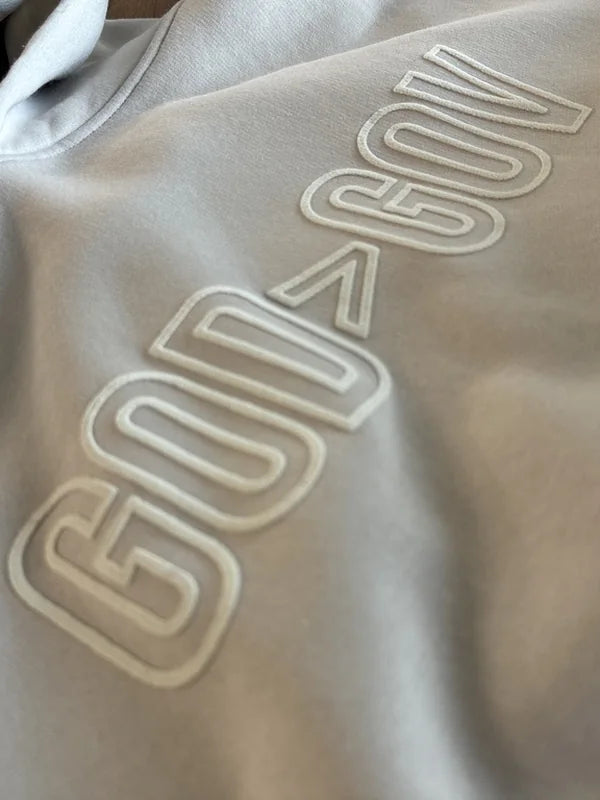



 Faded BerryFaded CreamFaded NavyFaded Rust


Approve your proof from your phone.
Most shops email a PDF and wait for a reply. We text you a link to your proof instead. Check it, tap Approve or tell us what to change, and follow your order by text until it ships. No app, no attachments, no email chains.
From proof to doorstep, by text.
-
01
Proof by text
When your proof is ready, we text you one link. It opens your proof full width, with your order summary and in-hands date. Several proofs waiting? They come in one text, on one page.
-
02
Approve or request changes
Tap Approve. The first time, enter the 6-digit code we text you. After that, we remember your phone for 30 days. Or just reply APPROVED to the text. Need a fix? Type a note and we send a revised proof.
-
03
Production
Once you approve, your order goes into production. We text you when it starts printing.
-
04
Track your order
Check where your order is anytime with your order number and the email or mobile number on the order.
-
05
Shipped
We text you when it ships, with your tracking number and a Track package link.
-
06
Delivered
Your tracker shows when it's delivered. Need more later? We can text you a reorder link with your last sizes filled in.
Here's what lands on your phone.
Swipe through it: one text, your proof, your approval, then order status through the reorder. No app needed.
Text Message
Today 9:41 AM
Superluxe Merch: Proof for Order 1042 is ready: https://proofs.superluxemerch.com/p/q7Rk2VxN9aLm4TbW8sJd3HcF In-hands Fri 6/11, on track if approved by Mon 6/7. Reply APPROVED or tap the link. Reply STOP to opt out.


Text Message
Today 9:41 AM
Superluxe Merch: Proof for Order 1042 is ready: https://proofs.superluxemerch.com/p/q7Rk2VxN9aLm4TbW8sJd3HcF In-hands Fri 6/11, on track if approved by Mon 6/7. Reply APPROVED or tap the link. Reply STOP to opt out.
APPROVED
Superluxe Merch: Proof approved for Order 1042, thank you! In-hands Fri 6/11, on track. We'll text you when it's in production.


-
Step 1 of 12
One text
When your proof is ready, you get one text with one link. Several proofs waiting? They come together in that one text, on one page.
-
Step 2 of 12
Your proof, full width
The link opens your proof full width, with your order summary and in-hands date. The PDF is there too if you want it.
-
Step 3 of 12
Tap to zoom
Tap the proof to check the print up close. Pinch or double-tap to zoom, or open the PDF instead.
-
Step 4 of 12
Approve
Tap Approve proof, then Yes, approve.
-
Step 5 of 12
First time: enter your code
The first time you approve on a phone, we text a 6-digit code to the number on your order. It expires in 10 minutes. After that, we remember your phone for 30 days and skip the code.
-
Step 6 of 12
Approval record
Your name, the time, the verified number and the proof version are saved with your approval. We text you to confirm.
-
Step 7 of 12
Or just reply APPROVED
With one proof waiting, reply APPROVED or YES to the text and it's approved. Several waiting? Reply APPROVE ALL.
-
Step 8 of 12
Request changes
Type what to fix and send it. Your note goes straight to the team on your order, and we text you a revised proof.
-
Step 9 of 12
Order status
After you approve, your order tracker moves to Approved. Look it up anytime with your order number.
-
Step 10 of 12
Shipped, with tracking
When it ships, we text you. Your tracker shows the carrier, the tracking number and a Track your package button.
-
Step 11 of 12
Delivered
Look up your order anytime on our Track your order page. It shows every step through delivered.
-
Step 12 of 12
Reorder
Same style and color, last order's sizes filled in. Change the sizes and send the request.
Example order shown. Not a real customer.
Same link works on both.
Open it on a bigger screen to check every detail before you approve.
Less chasing. More knowing.
Your proof and your order updates come to the phone already in your hand.
No email ping-pong
No PDF buried in an inbox and no reply-all threads. Your proof comes by text, and your answer goes straight to the team on your order.
Approve from anywhere
In the pickup line, between meetings or on the sales floor. If you have your phone, you can check the proof and sign off.
Always know where your order is
Texts when it's approved, printing and shipped or ready for pickup, plus a status page with your in-hands date and whether it's on track.
A clear record of what you approved
Every approval saves your name, the time, the verified phone number and the exact proof version. No guessing which file got the OK.
Built for the people who sign off.
Brand launches, company orders or event shirts: whoever signs off gets the same proof by text.
- Brands
Brands and marketing teams
Launches, drops and campaigns run on tight calendars. Sign off on the exact proof version from anywhere, keep a record of who approved it, and follow the order without chasing anyone.
- Approval record with name, time and proof version
- On-track badge for your in-hands date
- Tracking by text when it ships
- Businesses & events
Businesses and event teams
Staff shirts, uniforms and event merch, approved between meetings instead of buried in an inbox.
- Proof, sizes and in-hands date on one screen
- Request changes in plain words
- Text updates until it ships or is ready for pickup
- Creators & online stores
Creators and online stores
Drops and restocks run on a schedule. Check every placement and color on the proof and approve it from your phone.
- Every placement and ink color on one proof
- Nothing prints until you approve
- A reorder link with last time's sizes filled in
- Churches & ministries
Churches and ministries
Event, outreach and staff shirts with a date that won't move. Approve from wherever you are and see that your order is on track.
- Proof and in-hands date on one screen
- Text updates until your order ships
- Same style and color ready to reorder
Questions about proof by text.
Not seeing yours? Call 480-248-3379 or email hello@superluxemerch.com.
Get a quote in 24 hoursDo I need to download an app?
No. The text has a link that opens in your phone's web browser. There's nothing to download and no account or password to set up.
Can I approve by replying to the text?
Yes. If one proof is waiting, reply APPROVED or YES from the number we texted and it's approved. If several are waiting, reply APPROVE ALL, or APPROVE and the order number for just one. We text you back to confirm.
What if I need changes?
Tap Request changes, type what to fix and send it. Your note goes straight to the team on your order, and we text you a revised proof. Nothing prints until you approve it. Changes may move your timeline, and we'll tell you if they do.
Is texting optional?
Yes. We only text you with your OK, and you can reply STOP anytime to opt out or HELP for help. Msg & data rates may apply.
When do I need a 6-digit code?
The first time you approve on a phone. The code confirms the approval came from the phone number on your order before anything goes to print, and it expires after 10 minutes. After that, we remember that phone for 30 days, so you can approve without a code.
What if the text doesn't reach me?
If your proof text can't be delivered, we email the proof link to the email on your order from hello@superluxemerch.com.
What if my date is tight?
Your proof page shows your in-hands date and the date to approve by to stay on track. If timing is tight, we'll call you to talk it through.
Your next proof,
right on your phone.
Send your artwork, quantities and date. We'll quote it within 24 hours, then text you the proof when it's ready.